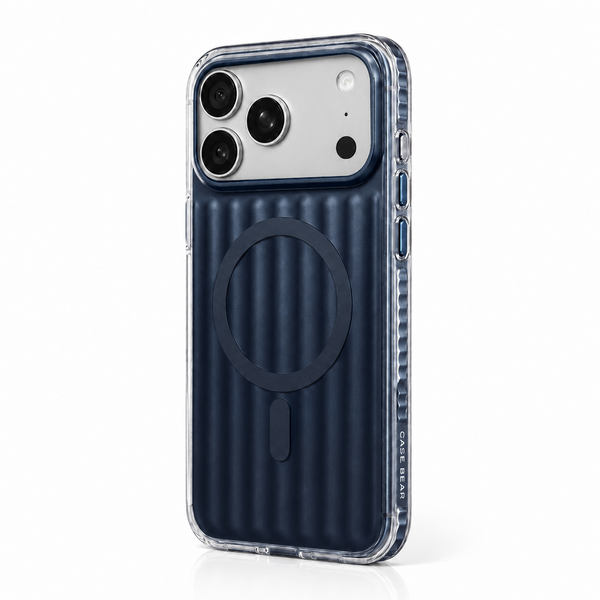
MagSafe looks simple from the outside: bring a charger near the back of an iPhone and it settles into place. Underneath that satisfying snap is a carefully arranged system of magnets, wireless-charging coils, and alignment hardware. A good MagSafe case has one job beyond protection: preserve that alignment without adding unnecessary distance between the phone and the accessory.
What MagSafe actually is
MagSafe is Apple’s magnetic attachment system for compatible iPhones and accessories. The phone contains a circular magnet array around its wireless-charging coil, plus an alignment magnet that helps accessories stay in the intended orientation. Chargers, wallets, stands, grips, and compatible cases use matching geometry so they attach in a predictable position.
The magnets do not create the charging power. They position the device so the charging coils can transfer energy efficiently. Think of the magnets as a repeatable docking system: they reduce the small placement errors that can happen when a phone is simply laid on a generic wireless charger.
Why alignment matters
Wireless charging transfers energy between two coils through an electromagnetic field. The coils do not need to touch, but they work best when their centers are closely aligned and the distance between them stays small. Poor alignment can reduce charging efficiency, create extra heat, or cause charging to start and stop.
A MagSafe-compatible case keeps the accessory centered even after the phone is picked up or moved. That is especially useful for upright stands and car mounts, where gravity and vibration constantly pull against the connection. Magnetic strength matters, but accurate ring placement is equally important. A very strong ring in the wrong position is still a poor design.
The case is part of the system
A case sits directly between the phone and every magnetic accessory. If it is too thick, uses a weak ring, or places the ring a few millimetres off-center, the experience can feel unreliable. A properly designed magnetic case uses a ring that follows the phone’s charging geometry and is integrated into the case rather than loosely attached to the surface.
Material also changes how the case behaves. A clear TPU or polycarbonate shell can showcase the magnetic ring and keep the profile slim. Softer materials can improve grip, while rigid layers help the case hold its shape around the ring. The best balance depends on whether you value clarity, texture, impact absorption, or a minimal profile.
Charging speed and heat
Charging performance depends on more than the case. The phone model, charger, power adapter, cable, battery temperature, and software all influence the result. Wireless charging naturally produces some heat, and phones may slow charging when they become warm to protect the battery.
For a more consistent setup, use a reputable compatible charger and power adapter, keep the charging surfaces clean, and avoid placing cards, coins, or metal objects between the phone and charger. If charging repeatedly disconnects, test without the case. That quick comparison helps identify whether the issue comes from the case, charger, cable, or power source.
What about wallets, stands, and mounts?
Magnetic accessories have different holding requirements. A desktop stand mainly resists the weight of the phone. A car mount must also handle vibration and sudden movement. A wallet should remain secure during normal use but still detach deliberately. Because accessory magnets vary, no case can make every combination feel identical.
Before relying on a new mount, attach the phone and gently test it in a safe setting. Check that the case is fully seated, the magnetic area is free of debris, and the accessory is designed for the phone’s weight. For wallets, remember to remove them before wireless charging unless the accessory maker specifically says otherwise.
How to choose a MagSafe case
- Look for a precisely centered magnetic ring and a secure fit around the phone.
- Choose raised edges that protect the screen and camera without blocking accessories.
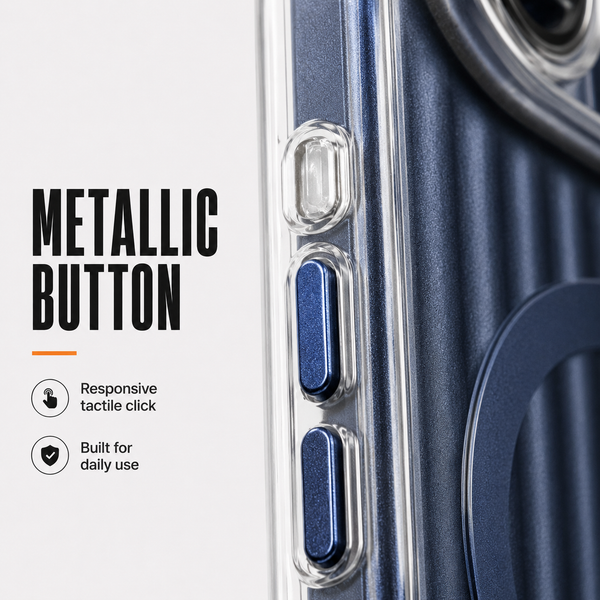
- Check that buttons remain easy to press and ports are cleanly cut.
- Match the material and thickness to the protection level you actually need.
- Test the case with the charger, stand, or mount you use most often.
If you want a slim magnetic case with a modern finish, explore CaseBear’s Gradient MagSafe cases. The right case should make the magnetic experience feel natural: align, attach, and get on with the day.
The practical takeaway
MagSafe is not simply a ring printed on the back of a case. It is a system in which coil position, magnet geometry, material thickness, accessory design, and power delivery all work together. When those details are handled well, charging becomes easier to place, stands feel more stable, and accessories connect with less fuss. Choose for accurate alignment first, then decide how much grip, clarity, and impact protection fits your routine.


About the author
CaseBear Editorial
CaseBear Editorial tests materials, fit and everyday usability to help customers choose with confidence.
Sources and review
Product-specific claims are reviewed against current CaseBear specifications. General guidance is educational and may vary by device and use.